
Whether you run a small website or a larger service, having a privacy policy is a legal requirement. It explains how you collect, use, and protect personal data – and helps you stay transparent with your visitors.
In practice, most websites process personal data, for example through:
- IP addresses
- Contact or registration forms
- Third-party services such as Google Analytics, Google Maps, YouTube, or social media
Here, we’ll walk you through how to create a privacy policy using Cookie & GDPR Manager.
Order Cookie & GDPR Manager
– preferably with the help of our guide.
Follow these steps to create your privacy policy
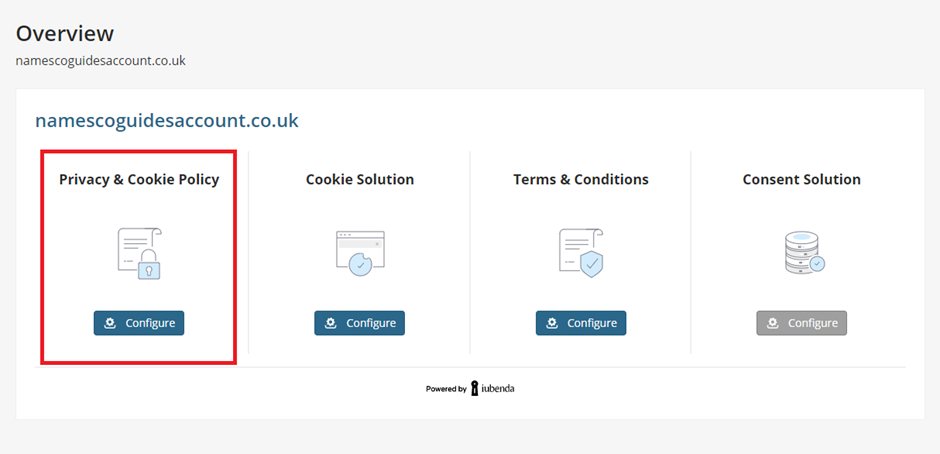
Choose an existing site/project or click on ‘Configure‘.
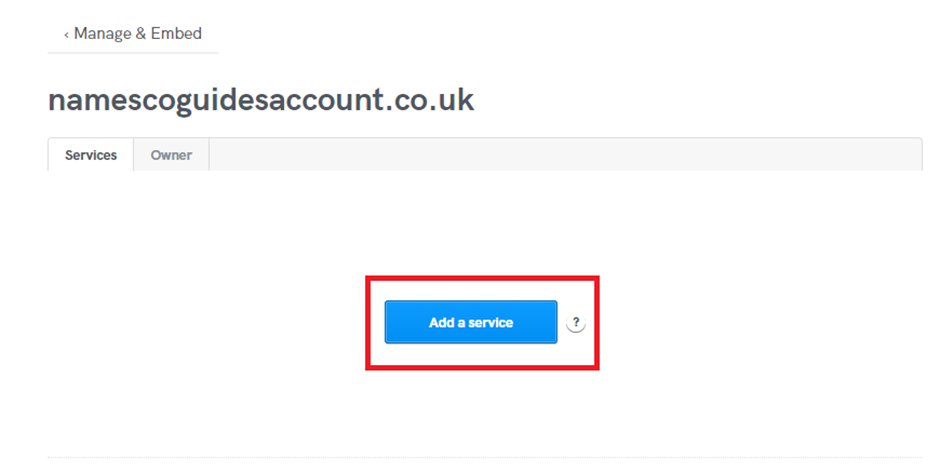
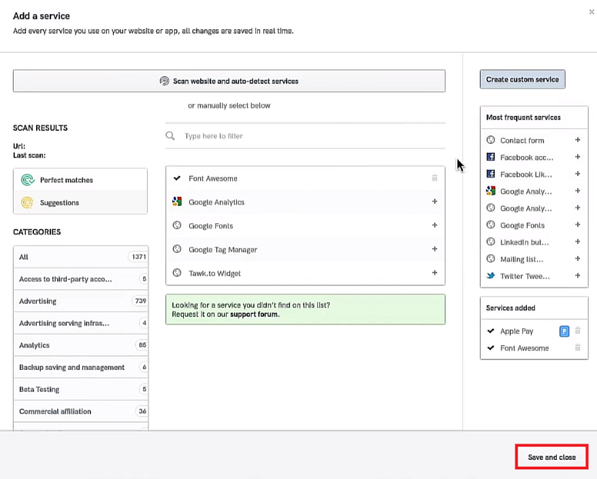
Experience the magic of our site scanner: Click on ‘Add a service‘.
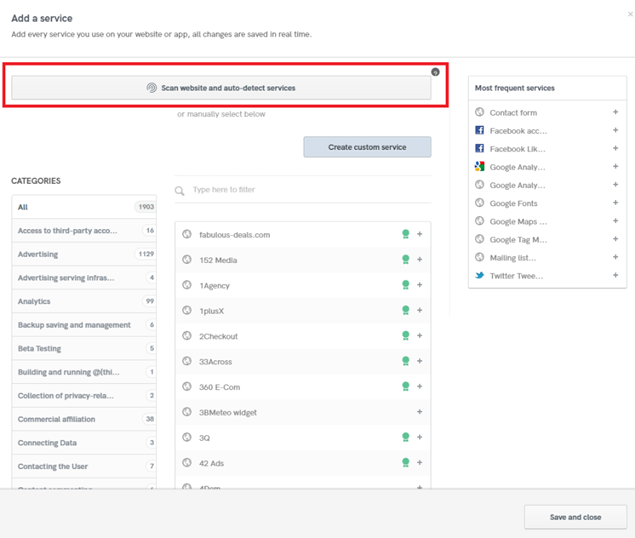
Then click on ‘Scan website and auto-detect clauses.’ Our site scanner will analyse your site and provide a customized configuration for your privacy policy!
Next, you’ll need to add these services, and to do so, you’ll have to wait for the scanning tool to complete (you’ll receive an email with further details).
Once the scan is completed, click back on ‘Add a service,’ and you’ll notice a new section called “Perfect matches/Suggestions” at the top left of the page.
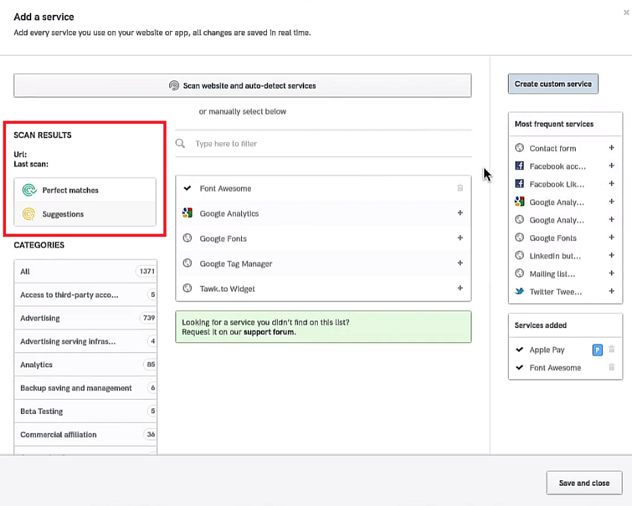
Warning: Please note that while our scanner is powerful, it can only detect technologies that are directly integrated into your site’s pages. You will still need to manually add clauses related to data processing practices, such as newsletter sending.
Once you have chosen the clauses please click on ‘Save and Close’ to proceed to the next step.
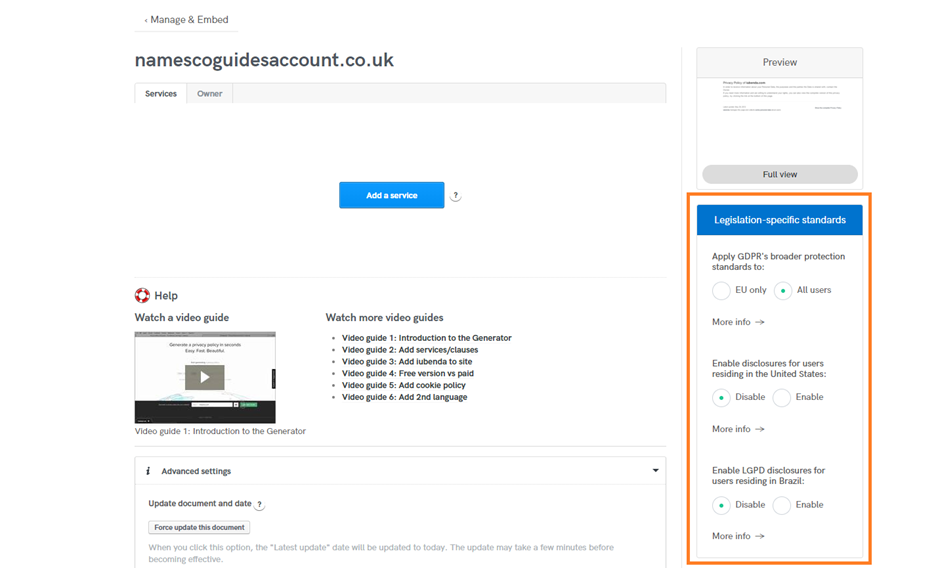
Legislation-specific standards:
On the right side of the screen, you’ll find a section labelled “Legislation-specific standards.” Here, you can choose the cookie policy standards based on the applicable legislation. Enable and select the ones that align with your users’ needs. If you’re unsure about what to enable, you can find further explanations in the following links:
- https://www.iubenda.com/en/help/5858-switch-privacy-policy-options
- https://www.iubenda.com/en/help/65132-us-privacy-legislations-overview
- https://www.iubenda.com/en/help/26706-lgpd-guide
Creating your Cookie Policy:
A Cookie Policy is required by the Cookie Law and provides detailed information about the cookies you use on your users’ devices. After creating your Cookie Policy, you can easily link it to your Cookie Banner through the Cookie Solution.
Simply activate your Cookie Policy by clicking on ‘Activate cookie policy.’
Done!
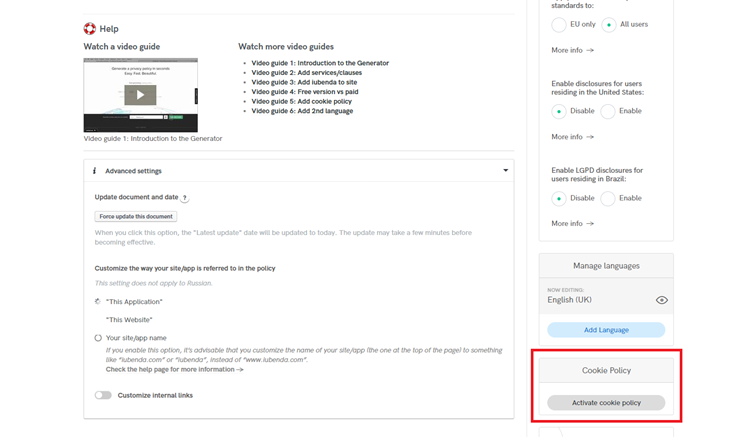
Thanks to the Cookie Database, your document will display the lifetime duration for each cookie. We also recommend adding all the languages that you believe your customers will use. You can add up to 10 languages to your document with just one click by selecting ‘Add language.‘
Info: Are you an app developer? Our Privacy and Cookie Policy Generator is fully optimized to meet the specific requirements of all major mobile app stores.
Creating your Privacy Policy and Cookie Policy with our tool will help ensure that you comply with legal obligations and provide transparency to your users regarding their privacy.
If you need some further assistance on embedding your policy I would advise looking at the embedding guide from our online compliance team explaining it more in detail: Guide to Embedding Your Privacy Policy on Your Website
Congratulations! You’ve successfully configured your Privacy Policy. By following these steps, you have ensured compliance and provided a user-friendly experience regarding Privacy Policy.

