
Instructions for beginners
We back up all databases automatically every 24 hours. You can easily access the backups through your control panel. We keep backups for 14 days.
1. Log in to Control Panel»
2. In your service overview, click the domain that uses the database.
3. Click Advanced Configuration Databases → Click the three dots to the right of the database → Backups.
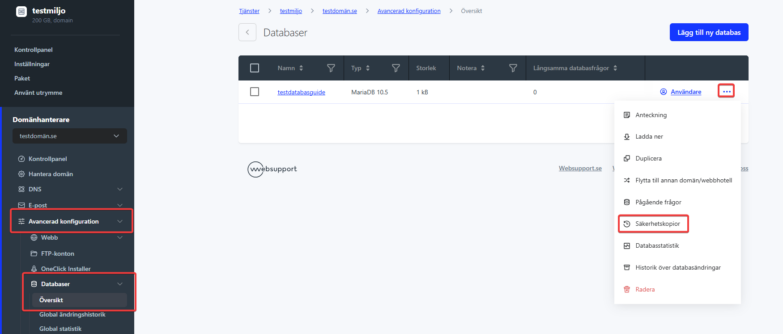
4. To restore, click Restore next to the backup you want.
Database restore only restores the database, not changes made in your source files. Make sure to also restore your FTP data from the backup.

