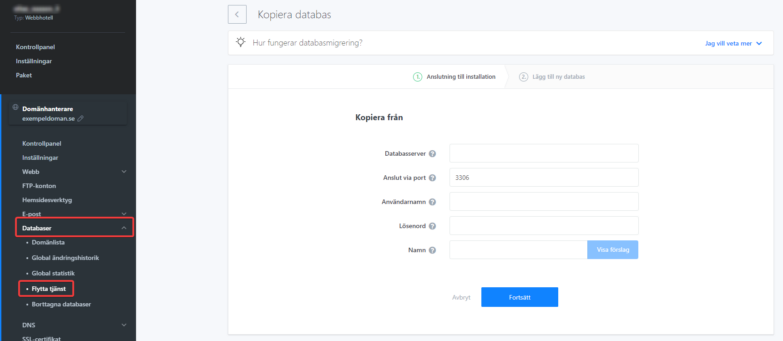
If you need to copy a database outside WebSupport servers or to a different account, you can use our migration tool. Enter all the connection details for the source database and the details for the new database that will contain the copied data. After you submit the request, the migration starts. Migration can take minutes to hours depending on database size and migration queue. You can track the status in the migration list.
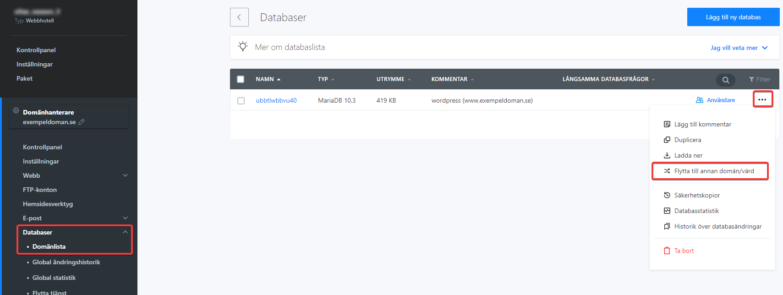
If you only need to move a database from one of your domains to another on the same account, use the “Move to another domain/host” option in the database list. You can only move the database between hosts on the same account this way.