
Global database statistics are available in your control panel.
1. In the Services section, select the domain you need to view statistics for and click Databases.
2. Go to the Databases tab in the left menu, then to Global Statistics within that tab.
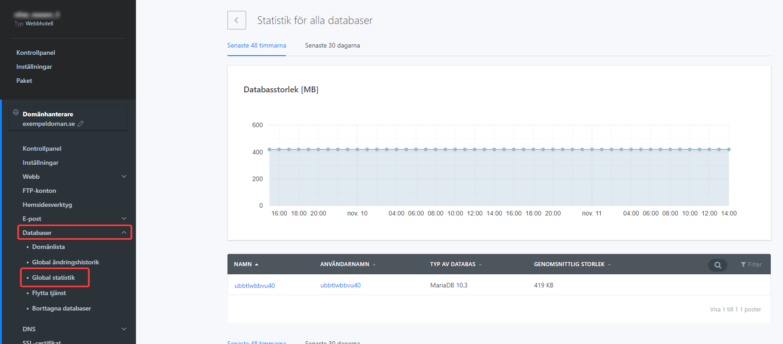
The report shows all statistics for each database you’ve created. Statistics display size growth, CPU operations, data transferred (MB), number of connections, and number of modified rows.
Statistics for a specific database
To view statistics for a specific database only, you can access it separately.
Access the report in the Databases / Database List section by clicking the three dots on the right and then Database Statistics.
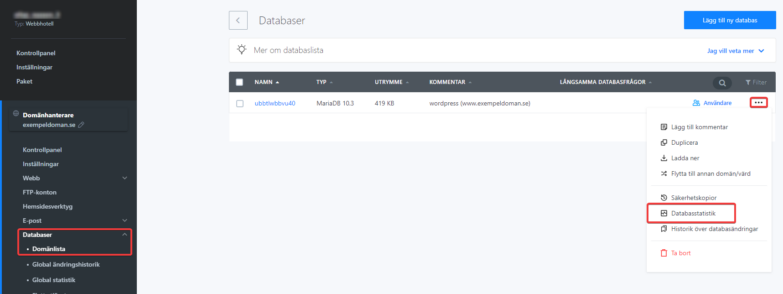
This window shows data only for the selected database, not a summary.

