
Instructions for beginners
Create your databases and users through your control panel. This guide walks you through the process.
- Log in to Control Panel»
- On the home page, select the domain you want to connect the database to from the service overview.
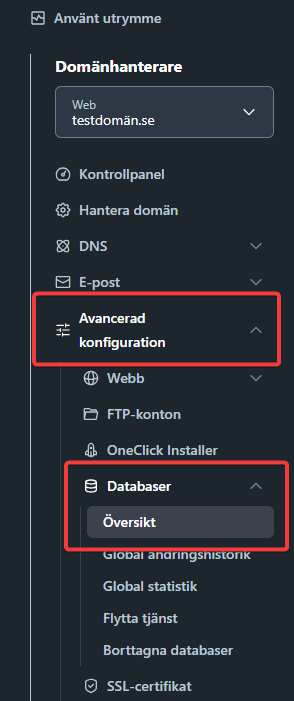
- Click Databases > Domain List in the left menu.
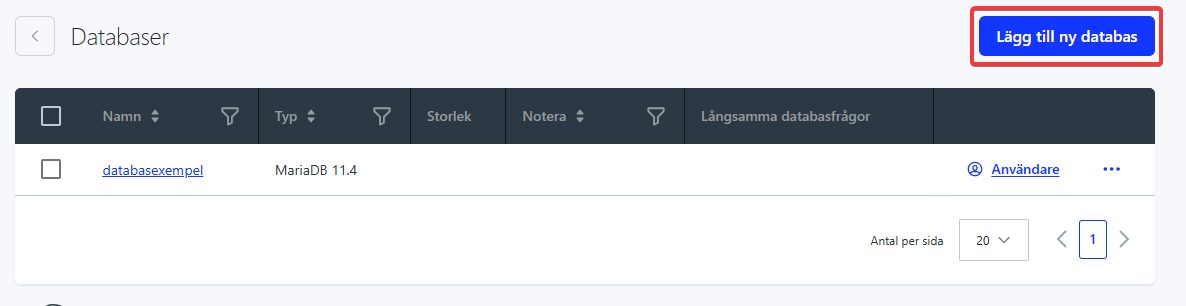
- Click Add New Database in the top right corner.
- In the final step, choose the database type, database name (you can keep the default), password, and database encoding.
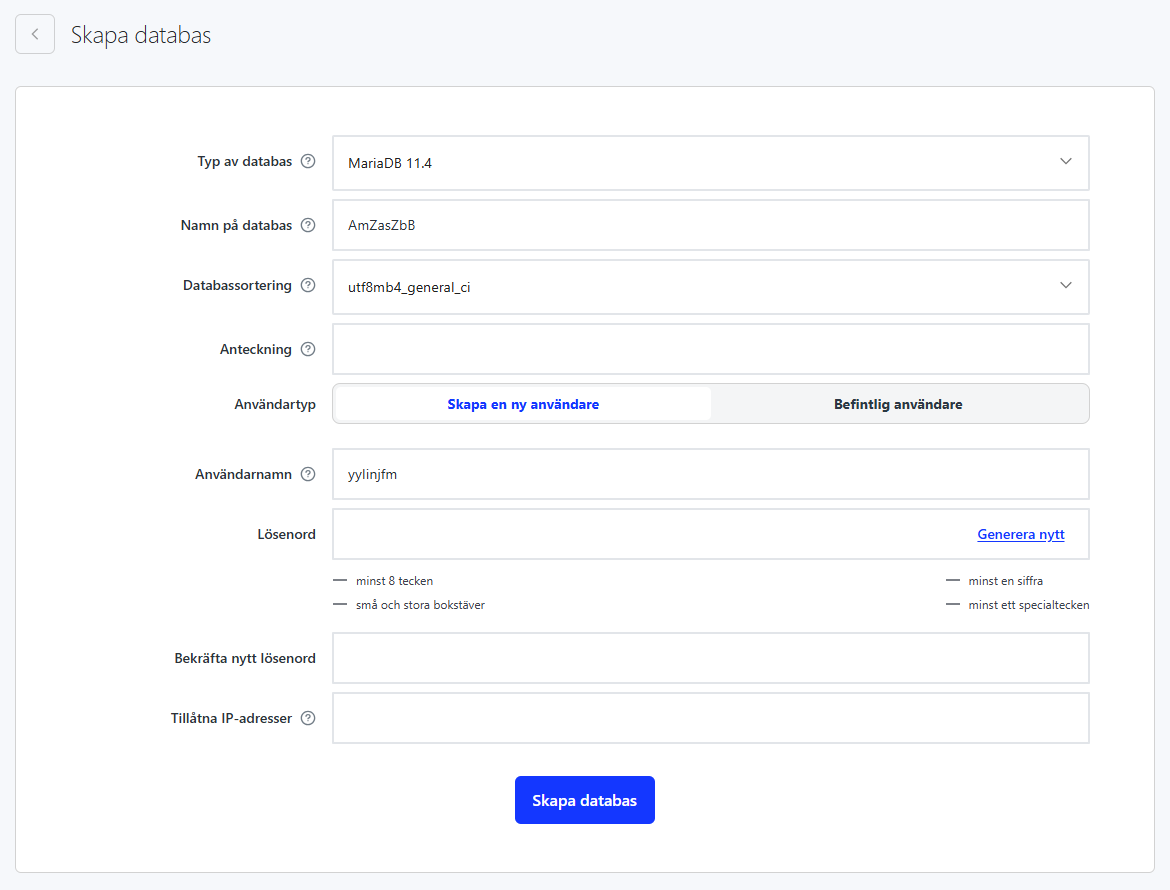
- Click the Create Database button.

