
SSL certificates ordered from WebSupport are automatically installed on your website, and we also provide HTTPS redirection.
If you have your own certificate or want to install Let’s Encrypt SSL, follow these steps:
- Log in to Webadmin.
- In the Services section, click your custom website service.
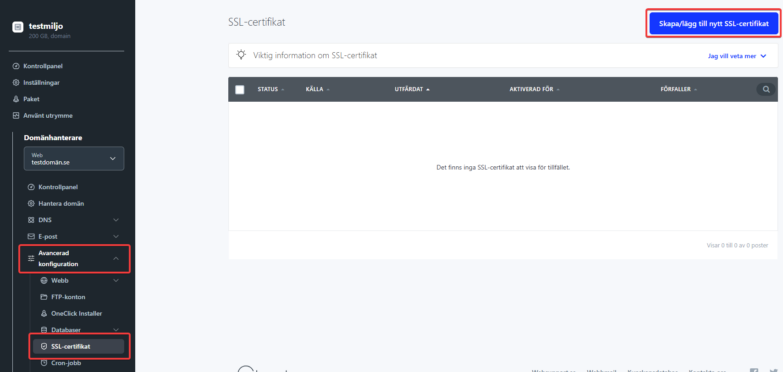
- On the left under “Advanced Configuration” is the “SSL Certificate” section.
- Click the blue Create/Add New Certificate button in the top right.
5. Choose whether it’s your own certificate (purchased from another company) or Let’s Encrypt.
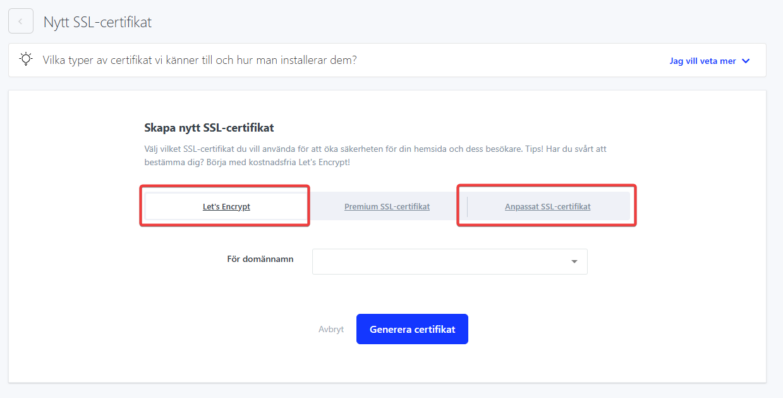
6. If you add Let’s Encrypt, just add the domain name, confirm your choice, and click Generate Certificate.
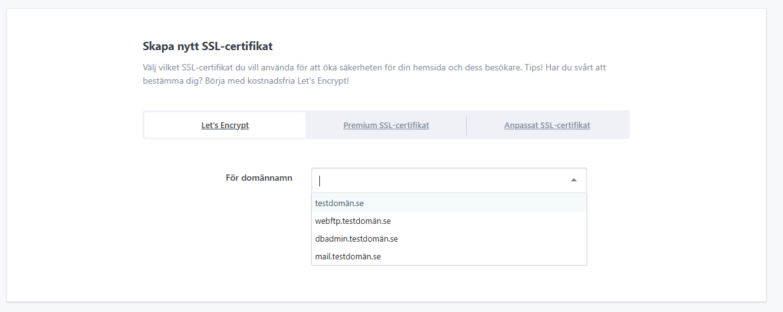
The address *.domain.se is added automatically. It’s a universal record for all subdomains like www.domain.se. To create a Wildcard SSL for this address, the domain must use our nameservers. If you see a red x next to this address, delete it and enter specific subdomains manually.

