To change an existing or active SSL certificate, follow the instructions below.
- Log in to your control panel.
- In your service list, select the domain for which you want to edit the SSL certificate.
- Navigate to SSL in the left menu.
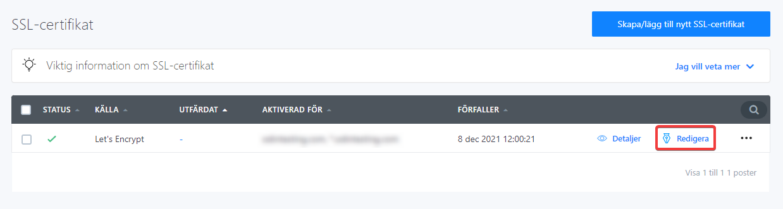
- Click Edit in your list of SSL certificates.
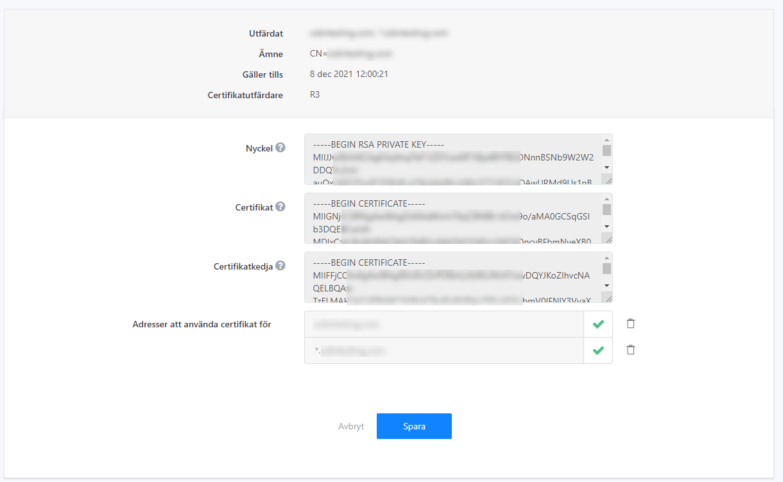
- In the next view, edit the SSL certificate. Then click Save.