
If you don’t want to continue using your SSL certificate, you can easily disable it in our control panel. After disabling, the certificate remains stored in our system if you want to enable it again in the future.
- Log in to the control panel.
- Navigate to your service list and select the domain with the certificate.
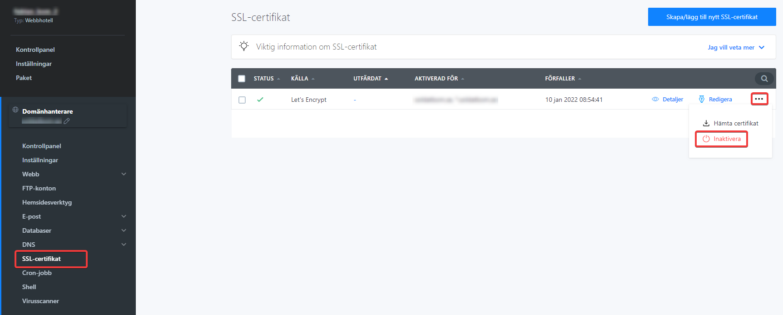
- Click SSL Certificate in the left menu and select Disable for the certificate you want to turn off.

