
Migrating / Upgrading MySQL and MariaDB Databases
Migrating or upgrading your database is straightforward with our control panel. The process has two steps: create a copy of your database, then update your website’s configuration file.
1. Log in to the control panel.
2. Under Services, click the domain whose database you want to migrate.
3. In the left menu, go to Advanced Configuration → Databases.
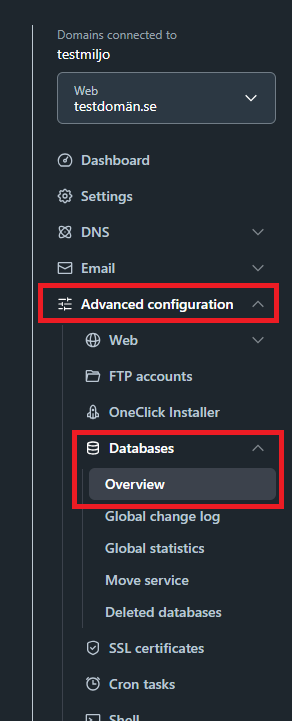
4. Click the three-dot menu (···) next to the database you want to upgrade, then select Duplicate.
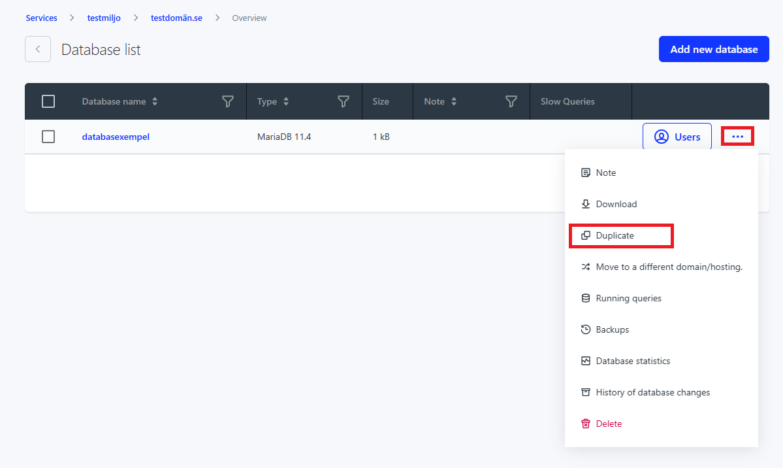
5. Confirm when prompted — a backup of the current database state is created automatically before the copy is set up.
6. Select the database version you need — you can choose a higher version than the current one. You can also change the default character set if needed.
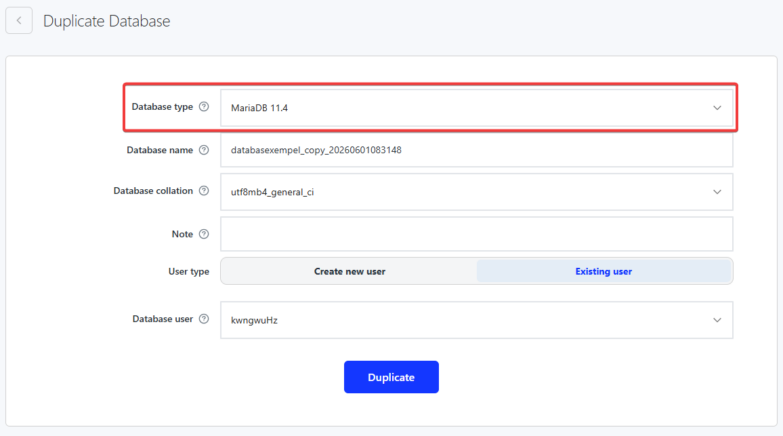
7. Keep the auto-generated database name or enter your own. Generate a password or enter a custom one.
8. Click Duplicate to finish.
The copy will be ready within 10 minutes and is immediately available for login and use. Your original database remains unchanged.
Update your website’s configuration files
Once the copy is ready, update your website’s configuration files to point to the new database. You’ll need to change the following:
- Database name
- Database username
- Database password
- Server name / database host (hostname)
You’ll find these details in the control panel under Databases — click the database name to view the connection information. The password was set when the database was created; you can change it in WebAdmin if needed. Klick on the databasename and then “Forgotten password?” to do so.
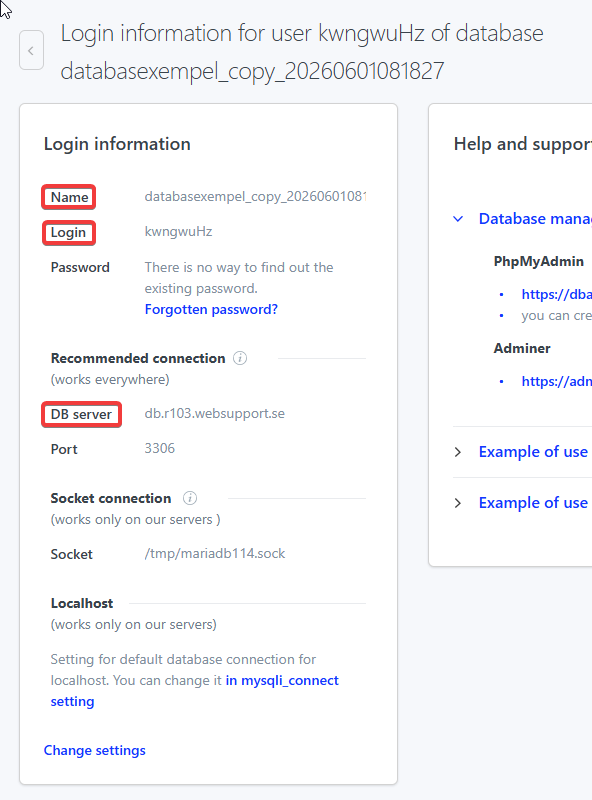
Connection example:
$connection = new PDO("mysql:host=HOSTNAME;port=33XX;dbname=dbnamn;charset=utf8", "username", "your_password", array(PDO::MYSQL_ATTR_INIT_COMMAND => "SET NAMES 'utf8'"));
Where to find config files in common CMS platforms
- WordPress – the config file is wp-config.php (common path: /web/wp-config.php).
- Joomla – the config file is configuration.php (common path: /web/configuration.php).
- PrestaShop – the config file is settings.inc.php in the config folder (common path: /web/config/settings.inc.php). Newer versions: web/app/config/parameters.php.
- Drupal – the config file is settings.php in the sites/default folder (common path: /web/sites/default/settings.php).

