
Instructions for beginners
1. Log in to your control panel »
2. In the Services section, click the domain your database is connected to.
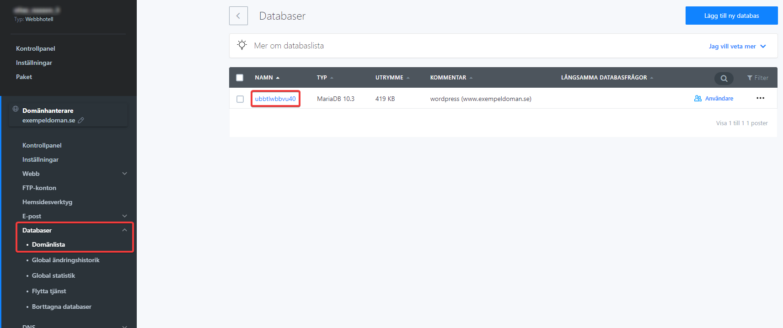
3. Click Databases in the left menu.
4. Click the database name whose login credentials you need.
5. You’ll find the login credentials in the credentials section.


