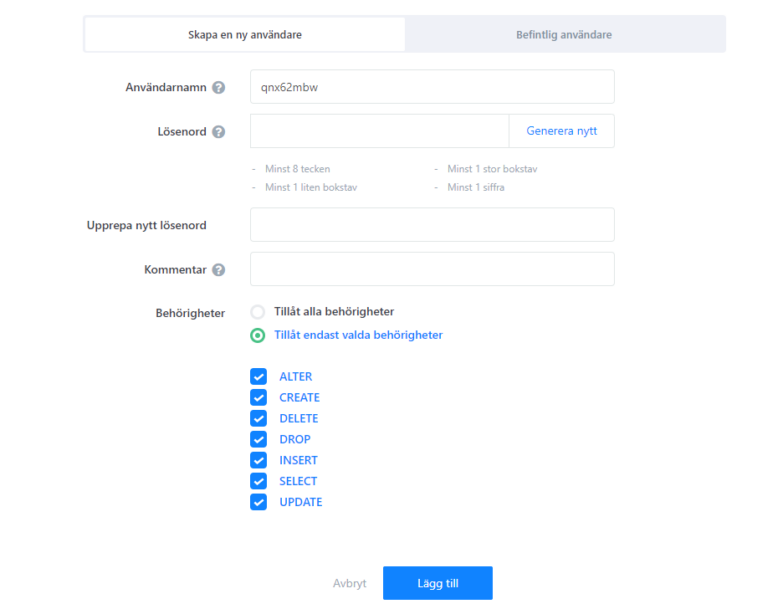
Use our control panel to create database users.
How to create a user
- Log in to Webadmin
- In the Services section, find your domain and click it.
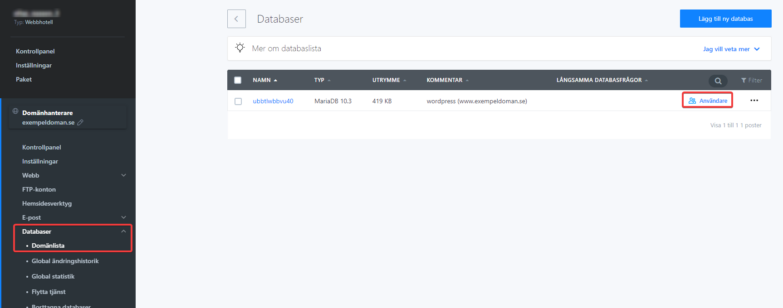
- Go to Databases / Database List in the left menu and select Users on the right.
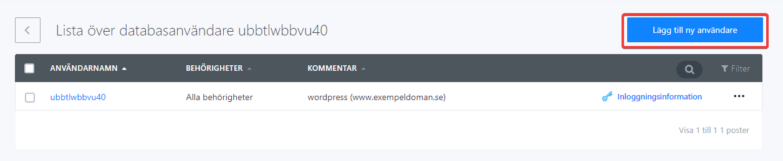
- Click Add New User in the top right corner.
- Enter login credentials and select which permissions to grant the new user.