You can use several options to connect a database to your web application, depending on the specific database version you use. To connect correctly, you need four basic parameters:
- Database name
- Database username
- Database password
- Database server/Host name
You can also read about how to connect your database to content management systems in our handbook.
Set up database password, name, and user
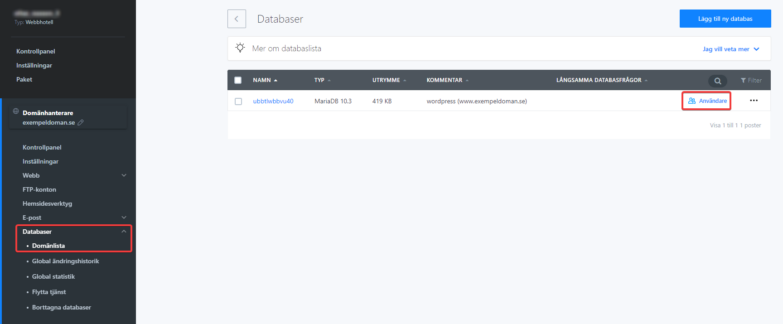
In the configuration file where you set up your database connection, you need to enter the database name, user, and password. You set these when you create the database. After you create a database in Webadmin, go to the Databases section to find all the information you need.
Database host settings
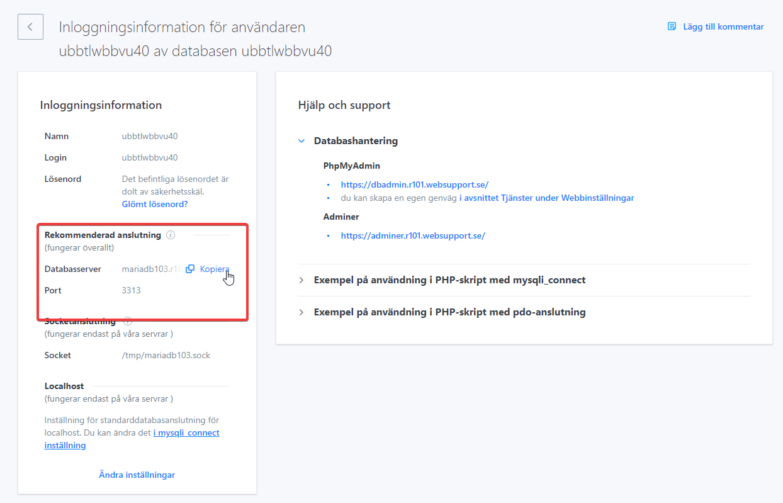
Find the server name and port by clicking the database name on the left. You can copy the full server address with one click. You’ll also find a link to PHPMyAdmin if you need to log in and manage the database from there.