
By default, blacklist protection is enabled on your incoming email. This means the sender’s IP address is checked against public spam lists on the internet. If there’s any spam marking, the message is placed in your trash.
You can choose to disable blacklisting, but of course we recommend keeping it on.
- Log in to admin.websupport.se
- Click the domain in your services list (The domain that the email address in question uses)
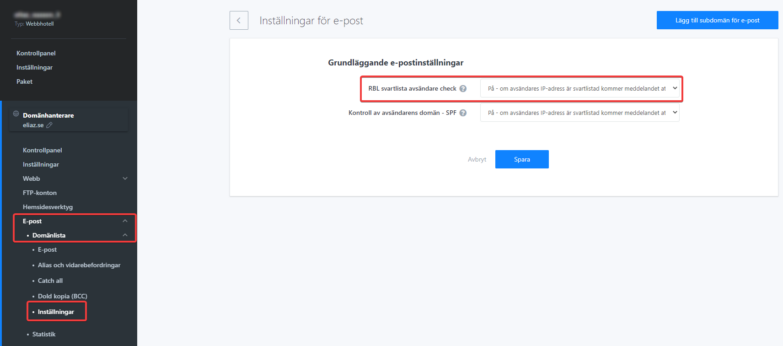
- Select Email in the left menu.
- Select Settings in the left menu.
- Select “Off” for RBL blacklist sender check.
NOTE: If you disable blacklist protection, the risk of receiving spam increases significantly.

