If you want to make more advanced settings for a specific email account, you can do this through the control panel. You don’t need to be an account administrator to make these settings.
Log in
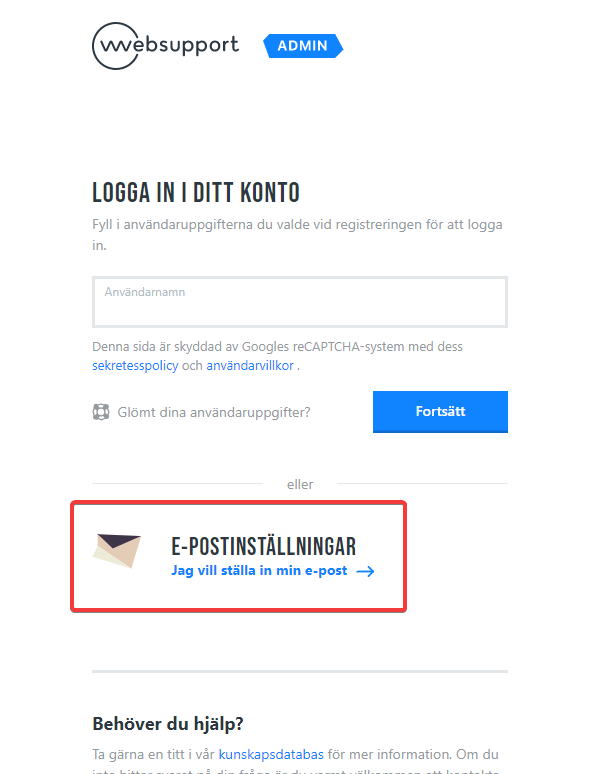
Log in to https://admin.websupport.se. Click on “Email Settings” there. Then enter your email address and password. The same password you use to log in to webmail or your email program.
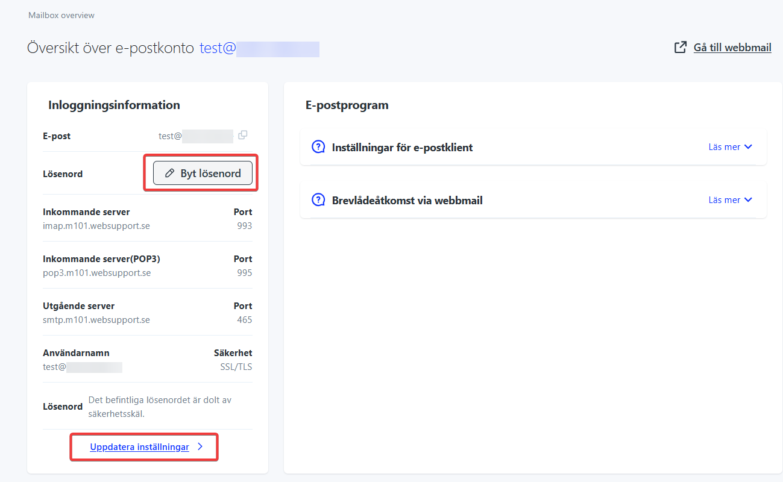
Password and Country Control
Once logged in, you can immediately change your password if needed. If you need to enable/disable GeoIP protection, you’ll find those settings under “Update Settings”. In addition, you can also completely disable the ability to log in via POP3 or IMAP.
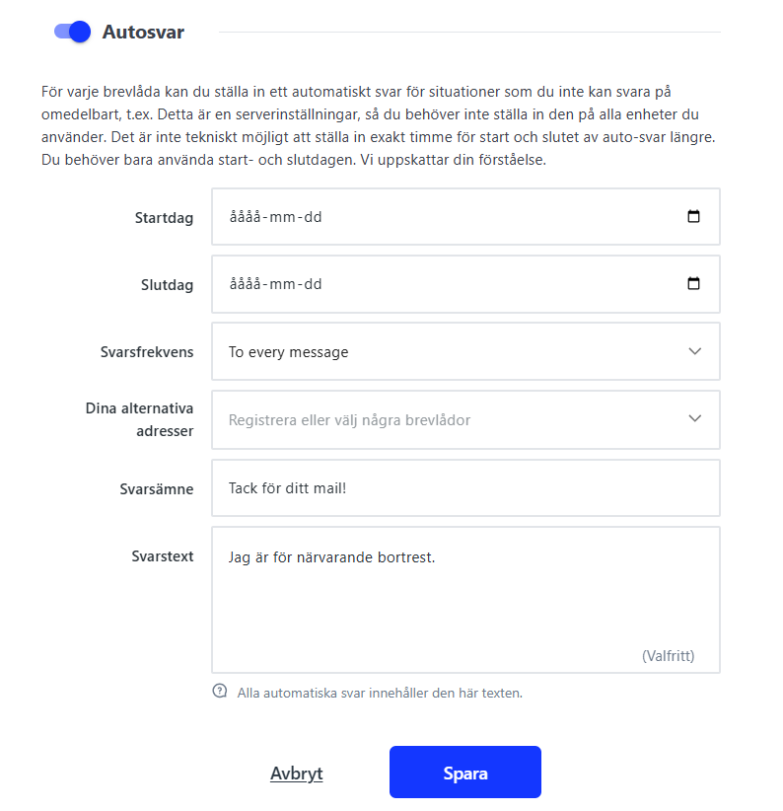
Auto-reply
In the menu on the left you can also select “Auto-reply” where you can set up an automatic reply that is sent when someone emails the address. For example, you can create it when you go on vacation or similar.