Instructions for beginners
WordPress administration is your main workspace when you work with your website. This is where you add content and manage your various plugins. Everything from blog posts, online stores, themes, and more.
(Beyond our own WordPress guides, we always recommend searching Google or YouTube for what you’re looking for. WordPress is the most common CMS on the internet, which means there are enormous amounts of tips and tricks available.)
In most cases, you access administration by adding /wp-admin after your domain name:
yourdomain.se/wp-admin
Dashboard/Home
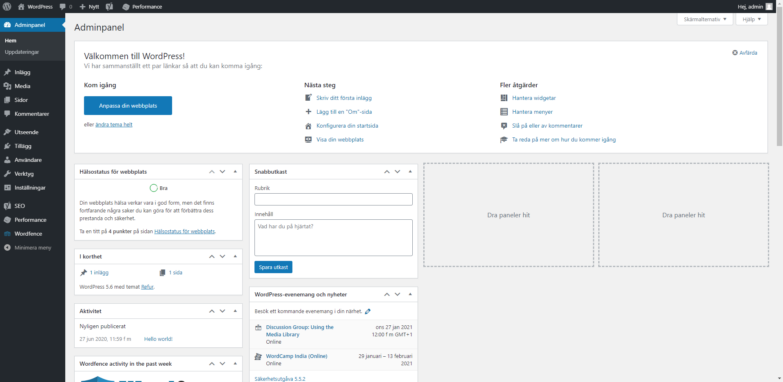
When you log in to administration, you land on what’s called the dashboard. Here you have a user-friendly overview where you can easily see if you have updates that need to be made. You can easily access all menus from here using the left sidebar menu.
Posts and Pages
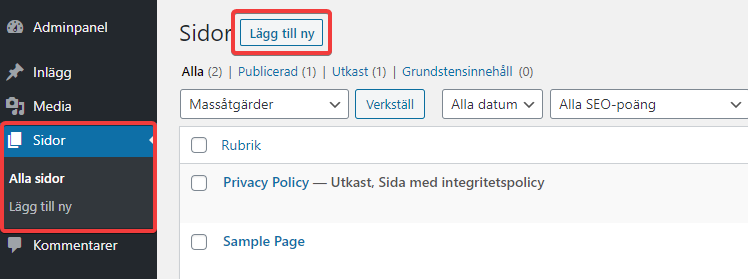
- You typically work with your actual content in Pages.
- Under All Pages, you have a list of all the pages on your site, regardless of the page type. Everything is in this list.
- To create a new page, click “Add New” in the top left corner.
Themes and Plugins
As mentioned in the introduction, WordPress is extremely popular because it’s free and easy to get started. Another reason for its popularity is the enormous plugin marketplace where most things are completely free. Everything from themes, blog modules, and online stores to smaller (but equally important) plugins like translation support and security plugins.
You can easily access the “Plugin Store” by clicking Plugins -> Add New. If you click Installed Plugins, you can easily manage your existing plugins. You can also visit the store at https://sv.wordpress.org/plugins/
Settings
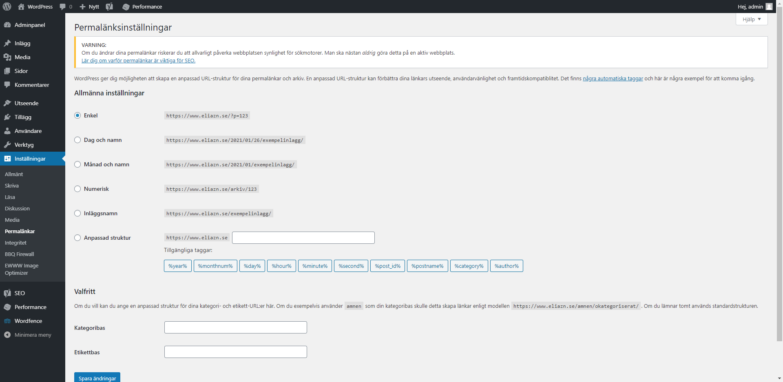
WordPress offers several ways to customize your site to meet your needs. Most of them are found under Settings. Especially worth looking at are Permalinks, which determine the structure of links to different pages on your website.