
It is a simple process to change your password in WordPress, and a good tip is to set as strong a password as possible, it is not a bad idea to change your password regularly.
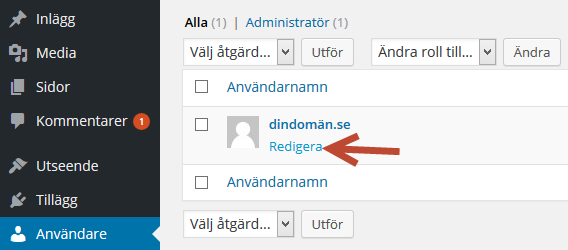
Click on Users > Edit
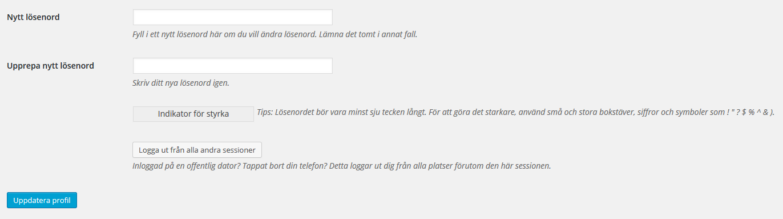
Then choose a new password and click Update Profile.
Some tips for a strong password:
- More than 8 characters
- At least one digit
- At least one uppercase letter
- Make sure it’s not based on a well-known word
- Use special characters if supported by the server
Examples of strong passwords:
cucWiUk5
etCib!twiwraj5
NyanuksAgyucVoc5
Examples of weak passwords:
summer
123456
hashbrown

