
After moving user email filter settings from Webadmin to email clients, we added the ability to replicate filters created for one email address to another address to simplify administration. This means you don’t need to set up filters manually for each email address separately. Instead, you can set up filters in one email address and then copy them to other addresses.
Warning: when you copy filters, all previous filters are deleted.
The replication process is as follows:
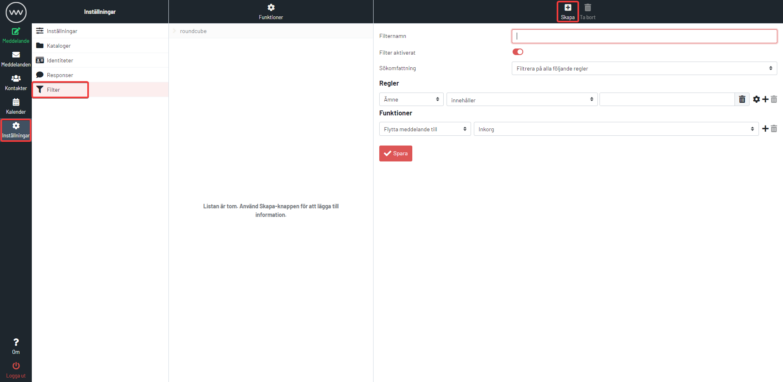
1. Create a filter in our webmail at https://mail.websupport.se/
2. Log in to admin.websupport.se
3. In your services, find your domain and click it.
4. In the left section, click Email. Then click Settings → Mail filters for your email account

5. Select the email accounts where you want to copy the filters.

6. Start the process by clicking the “Copy” button.

