
Instructions for beginners
By using BCC recipients, you can forward an email message to another address. Neither the sender nor the recipient will be able to see that you’ve forwarded it.
1. Log in to Control Panel »
2. In your services overview, click Email and then Overview
3. Click BCC – Blind carbon copy in the left list.
4. Click Create new to create a new one, or manage your existing ones in the list.
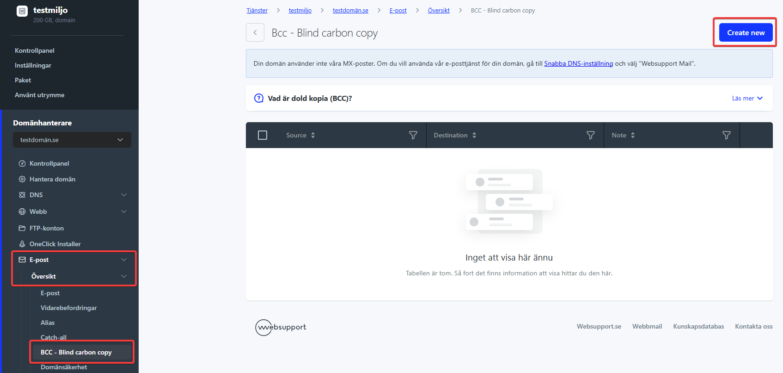
Add BCC
To add a new BCC, fill in the following information:
Monitored mailbox – The address whose messages you want to be forwarded.
Recipient address – Any email address to which emails will be forwarded. You can only add one address here. If you want to forward to multiple addresses, add them separately.
Comment – Here you indicate if you want the blind copy to contain something that distinguishes the original.

