
Instructions for beginners
Catch-all is an email inbox that receives all emails addressed to addresses that are not set up as forwarding or email accounts. This mailbox prevents loss of email in case of a typo.
For example, you might have an inbox info@domain.se and receive email to it. But if someone misspells it and sends an email to ifno@domain.se, you won’t get the message. However, set info@mycompany.com as the target address for Catch-all and all spelling errors are sent to info@domain.se.
We don’t recommend using a catch-all account because it contributes to more SPAM messages reaching you. If you have spam problems, disable Catch-All on the domain. You can use email forwarding instead if needed.
Enable Catch-All
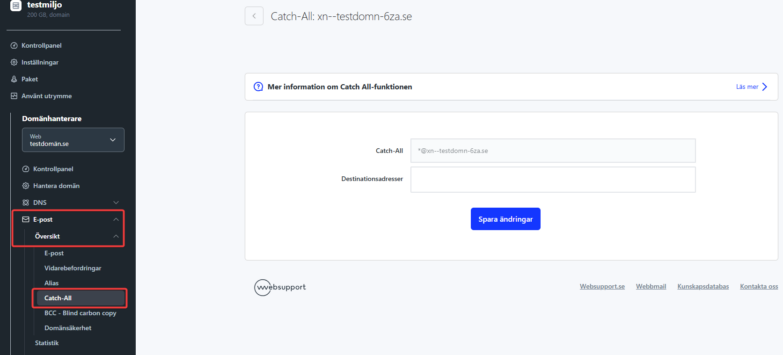
- Log in to https://admin.websupport.se
- Select your domain
- Click “Email > Overview” on the left, then “Catch-All”
Catch-all can be easily disabled by removing all target addresses and saving the settings.

