
SRV records specify the server address for specific services. SRV records allow load distribution across multiple addresses based on weight and priority.
In your control panel, you can add, edit, or delete SRV records. Here’s how:
- Log in to your control panel.
- Click one of your domain names.
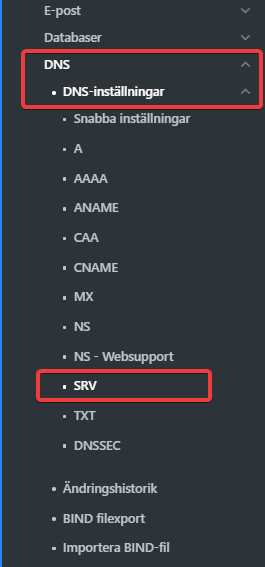
- Select DNS from the menu.
- Then click SRV.
5. To create a new record, click Create new record.

