
Guide for intermediate users
Server logs record the activity of your services on our servers. Several types of server logs exist. With our basic offering, you have access to access logs and error logs.
Access Log
The access log records visits to your website. You get information about the number of visitors, visit time, visitor IP addresses, and more.
Error Logs
Lists any errors that occur when running your applications or websites, with as much detail as possible. By understanding error logs, you can more easily locate and identify problems on your website and fix them faster.
How to retrieve server logs
- Log in to Control Panel»
- In the Service Overview, select the domain/website you need logs for.
- Click Web in the left list and select Server Logs
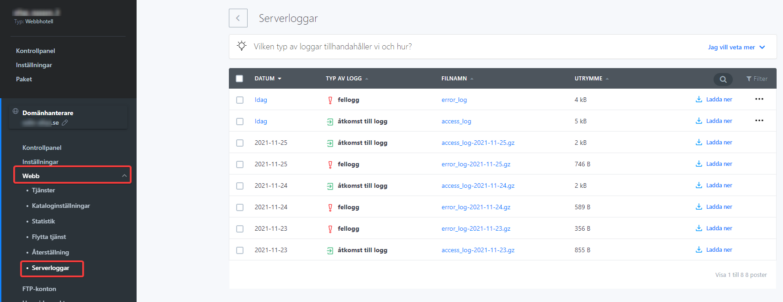
Logs are sorted in chronological order with the 100 most recent of each type listed. You can also access your logs by FTP connecting to your server space -> Logs.

