
Having trouble with your site reaching the maximum number of input variables (max_input_vars)? We set the default maximum to 1000, but you can increase it through the control panel.
Increase max_input_vars in your control panel.
- Log in to Control Panel.
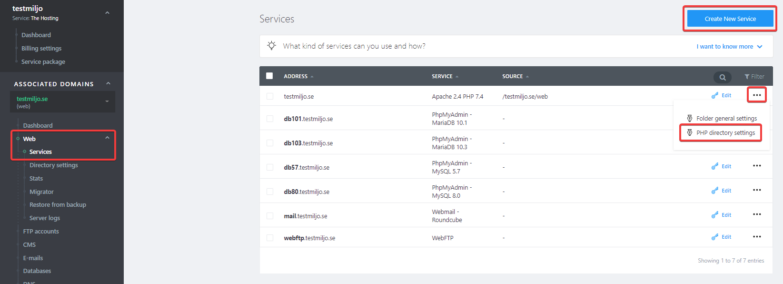
- In your service overview, select the domain in question.
- Select Web in the left menu, then click the three dots next to the website you want to manage and select PHP Settings.
- Scroll down to max_input_vars and change the value.
You can also change this via your .htaccess file as follows.
- 1. Connect to your server structure via FTP. Navigate to the folder for the website where you want to increase the value.
- 2. Open .htaccess and add “php_value max_input_vars 2000″.
- 3. Save the changes to apply the increase.

