
Dynamic DNS lets you automatically keep a DNS record updated with your current IP address if you have a dynamic IP (an IP address that changes regularly). This way you can always reach a device with a changing IP address using its hostname.
Enable DynDNS
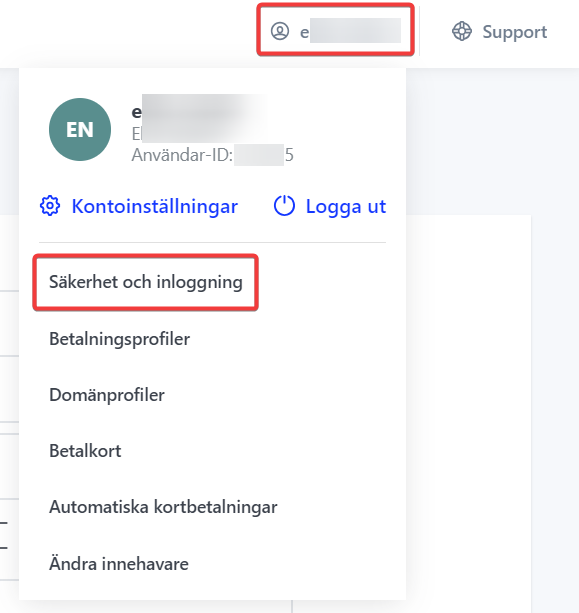
Start by logging in to https://login.websupport.se. Then click your username in the upper right. Select Security and login.
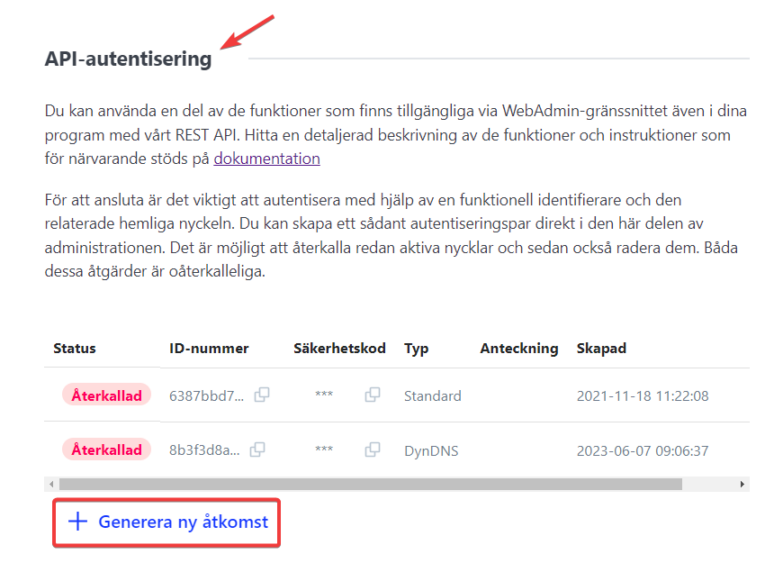
Then go to the API authentication section and click Generate new access.
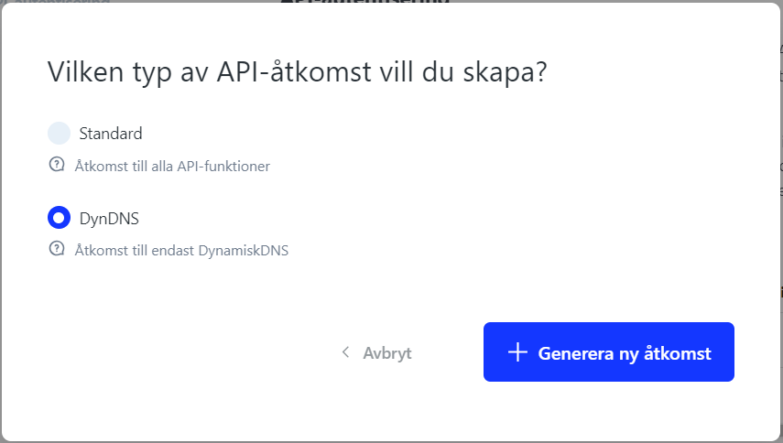
Select DynDNS and then click Generate new access.
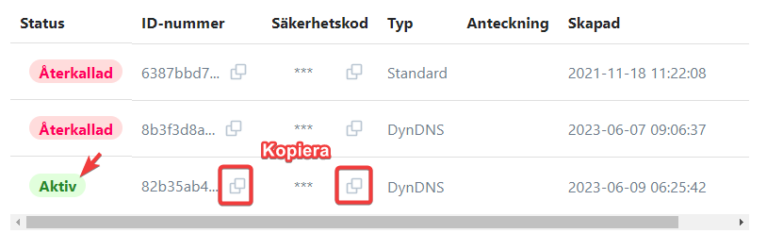
Then you’ll see the access is active. Next to it you can copy the ID number and Security code. These work as username and password for access.
Connect
Then just use any program that supports DynDNS2 to connect, for example DDclient, which is one of the most popular for Linux. You can install it via your Linux distribution’s package manager. For example sudo apt install ddclient for Ubuntu-based systems.
Add the code below to the config file, usually found at /etc/ddclient.conf
# Configuration file for ddclient

# Web is used to determine current IP
use=web

# Server settings for WebSupport
protocol=dyndns2
server=dyndns.websupport.se

# Your DynDNS login information
login=IDNUMBER
password=SECURITYCODE

# The domain or domains to be updated, for example
exempel.se
You can also update via a CURL command. Use the string below.
curl -u IDNUMBER:SECURITYCODE "https://dyndns.websupport.se/nic/update?hostname=DOMAIN.SE&myip=IPADDRESS"

