
Deactivating a Domain Name
- Log in to the Control Panel.
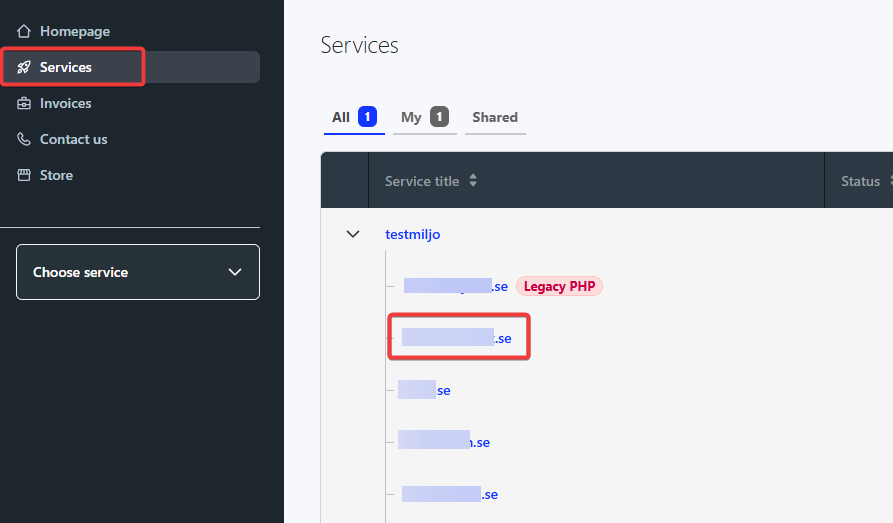
- Click on “Services” at the top left.
- Click on the domain name in question.
- Click the three dots in the top right and select “Disable renewal”
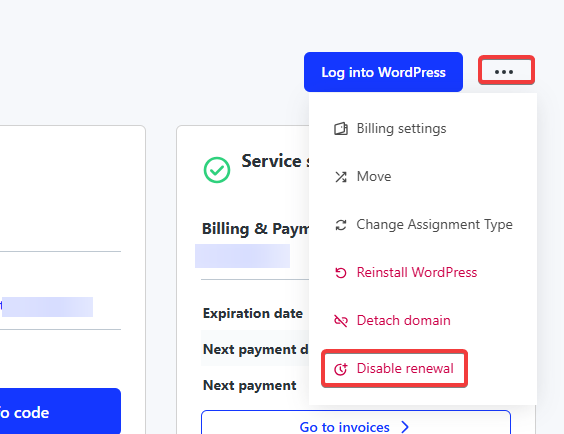
- Click “Disable renewal” to confirm as the warning shows up.
- After that, no further invoices will be sent out for the domain, and it will expire when the contract term ends.
Deactivating Web Hosting
- Log in to the Control Panel.
- Click the web hosting in your service list
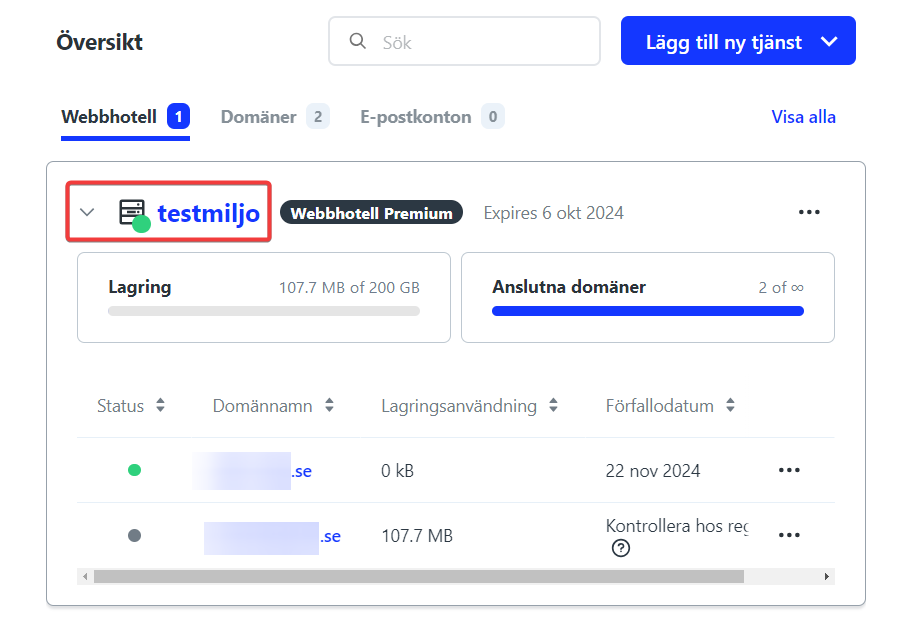
- Click the three dots in the top right and select “Disable renewal”
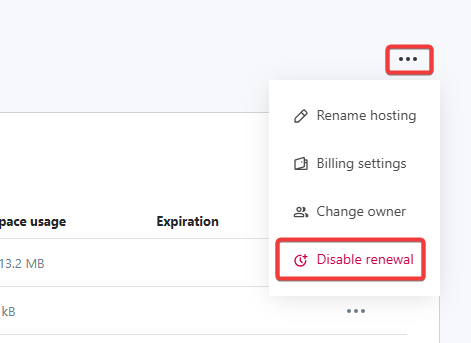
- Click “Disable renewal” to confirm as the warning shows up.
- After that, no further invoices will be sent out for the hosting, and it will expire when the contract term ends.

