
Websupport kunskapsdatabas
  1. Home
  2. Account Administration
  3. API Keys
Searching...

API Keys

Artikelinnehåll
  1. Create a New Key
  2. Key Information
  3. Delete API Key

In this guide, we show you how to find and manage your API keys in your control panel.

  1. Log in to your control panel.
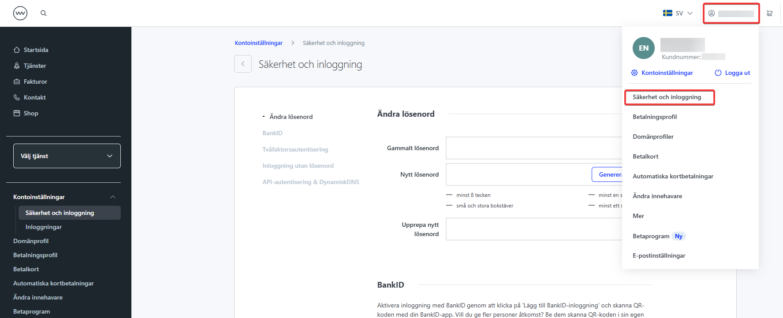
  2. Click your user in the top right corner and select “Security and Login”.
  3. At the bottom of the page you’ll find the section “API Authentication & Dynamic DNS”.
Create a New Key

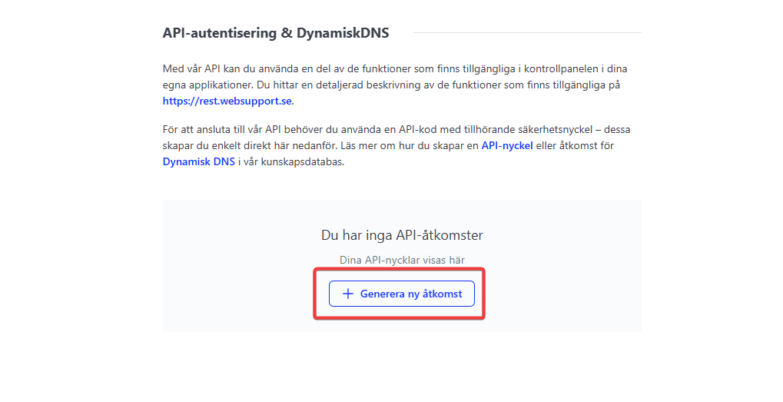
To create a new key, click “Generate New Access”.
API key generation

Key Information

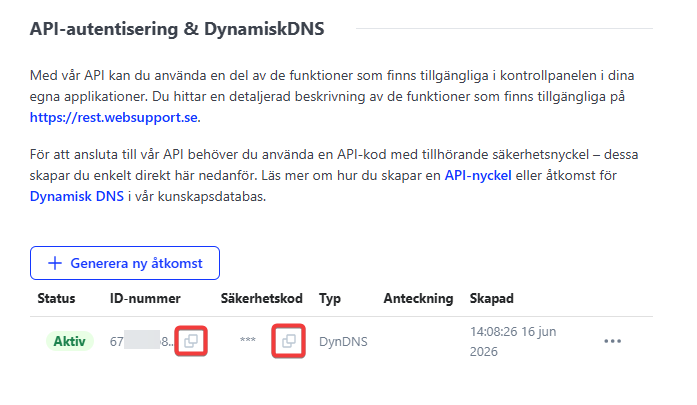
Once a key is generated, you can copy the necessary information from the same menu section.
Delete API Key

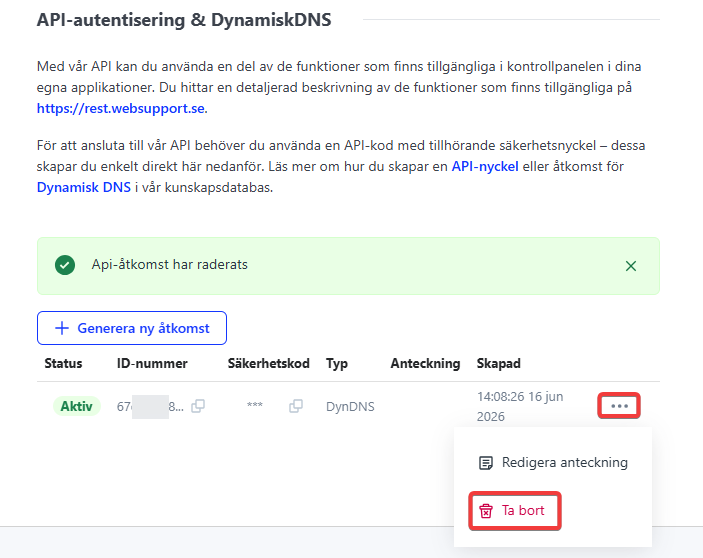
To delete a key, click the three dots on the right and select “Delete”.
Revoke API Key
Updated on 9. July 2026
Was this article helpful?
Yes No

Related Articles

  • Change Contact Information
  • Service Deactivation
  • Cancel a Billed Service
  • Enable two-factor authentication (2FA)
  • Log in with BankID
  • Change password

Artikelinnehåll

  1. Create a New Key
  2. Key Information
  3. Delete API Key

Popular Articles

  • Changing registrar (domain transfer)
  • Migration tool
  • Troubleshooting email
  • Getting started with your services
  • How long does it take for a DNS change to propagate?

Do you need help?

Can't find what you're looking for?
Contact our support
Hittar du inte guiden du söker, vänlig maila begärd guide till guide@websupport.se så ser vi till att addera fortast möjligt.
  • Svenska (Swedish)
  • English