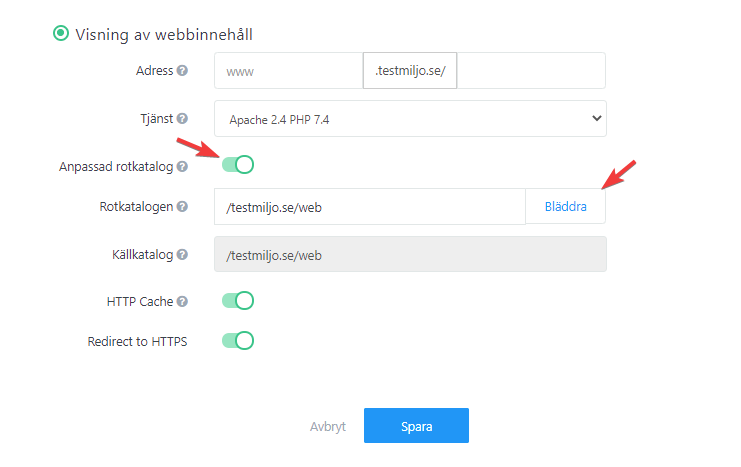
The root directory defines where the content for the specified address is located and where it should be placed when uploading via FTP. You can change the root directory.
Default Settings
- domain.se/web for web content
- domain.se/sub for individual subdomains
You can also create custom root directories directly in your control panel.
Change root directory for your domain
- Log in to the control panel and navigate to your website settings
- Select the website you want to change, or click Add New.
- Enter the desired root directory for your domain/website. When done, click Save. The changes take effect within a couple of minutes.