For experienced users
If you need to set a different PHP version, or any other setting for a specific subdirectory, all you need to do is go to the overview of the desired domain in the control panel.
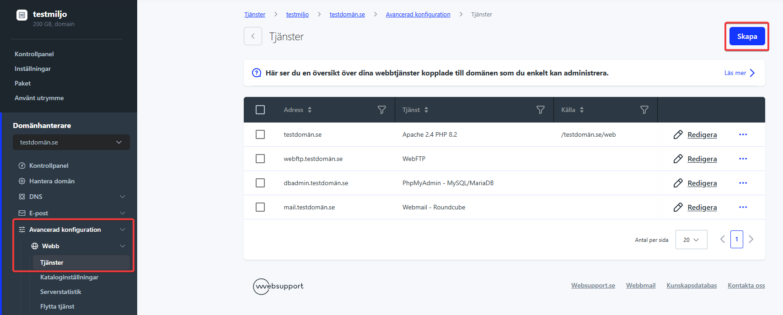
In the left menu, click Advanced Configuration, Web and then Services, where you click the Create button.
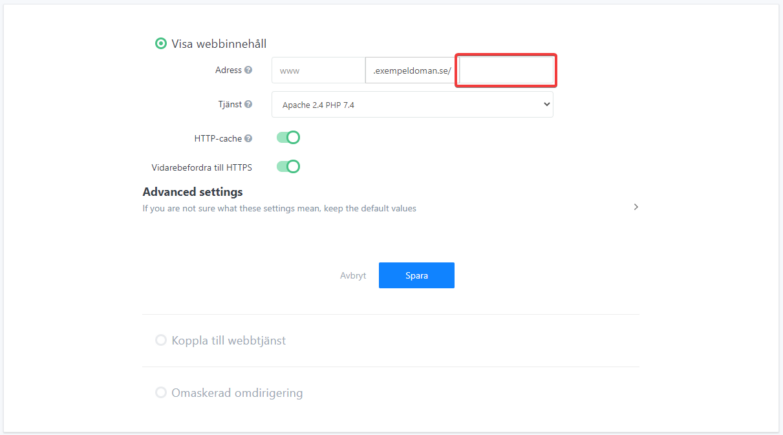
After clicking the Create New Service button, select Display Web Content, then enter the subdirectory name after “/” and set the desired values.