For experienced users
In this section, we explain how to configure your PHP and Apache settings for your different folders and files. We also show you how to password-protect your directories. After you password-protect a directory, the server will ask for a username and password. You can create multiple access users for the same directory, but you cannot create one access account for multiple directories.
You can also configure this via your .htpasswd file, which you’ll find in the respective public_html folder.
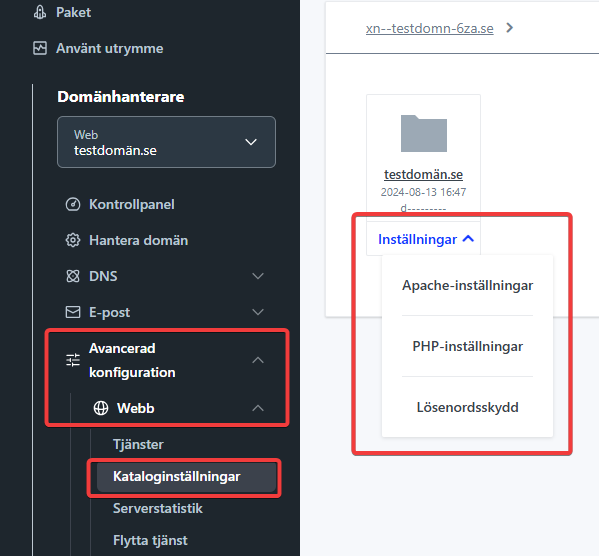
- In the left menu, go to “Advanced Configuration > Web > Directory Settings”
- Click “Settings” next to the directory you want to manage and choose Apache Settings, Password Protection, or PHP Settings.