
DNSSEC protects your domain and prevents spoofing (fake or stolen identity) of content on your website. DNSSEC support is available for most domain types, directly from your control panel.
Automatic DNSSEC activation: .SE and .NU
For .SE and .NU domain types, we enable DNSSEC automatically during registration and transfer.
Conditions for automatic DNSSEC activation
- Registrar is WebSupport
- Domain uses WebSupport name servers
By default, all domains you order from us meet these conditions. If you don’t change the settings, no further action is needed and DNSSEC protection is set up automatically for you.
Manual DNSSEC activation
You can manually enable DNSSEC directly in your control panel. You’ll find the feature under DNS.
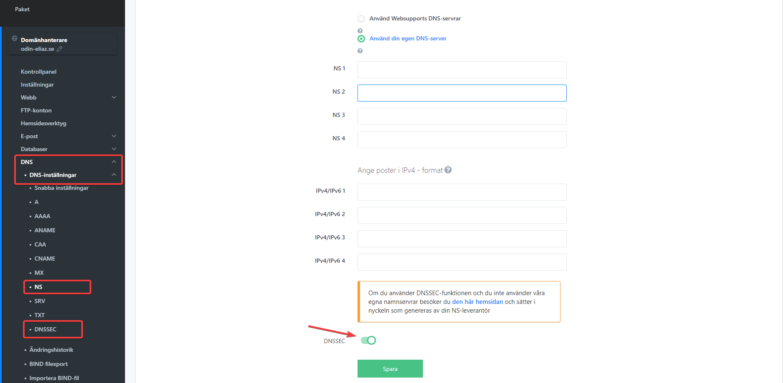
The quickest way to enable DNSSEC is to turn it on when you change name servers.

